
On most of our product pages, you'll see a Design Mode option with two choices: 3D - Easy Visualization and 2D - Complex Designs. You can pick either one depending on what you need.
3D mode: Easy Visualization
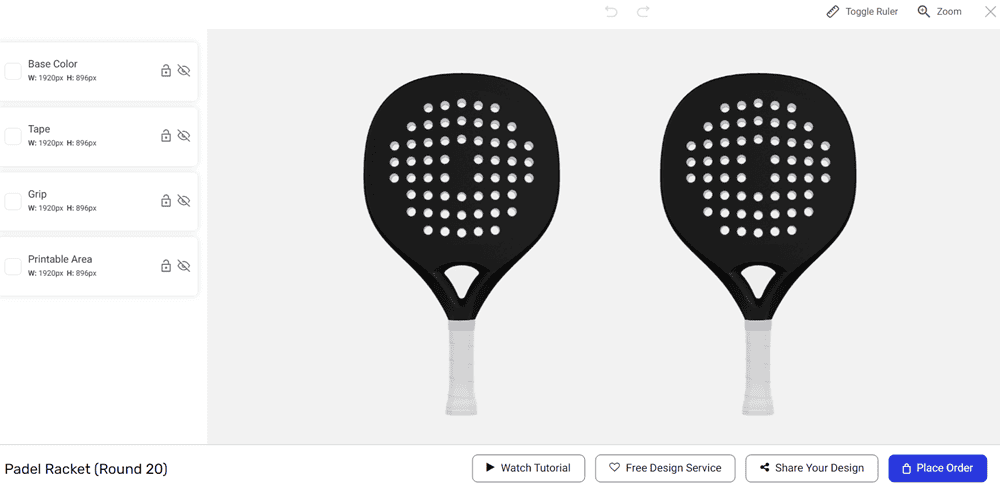
3D mode shows a realistic rendered mockup of your product as you design it. You can see an approximation of what the finished product will look like in real time, which makes it easy to visualize colors, logos, and text placement. This is the best choice for most customers, especially if you're creating a straightforward design or want a quick, intuitive experience.
2D mode: Complex Designs
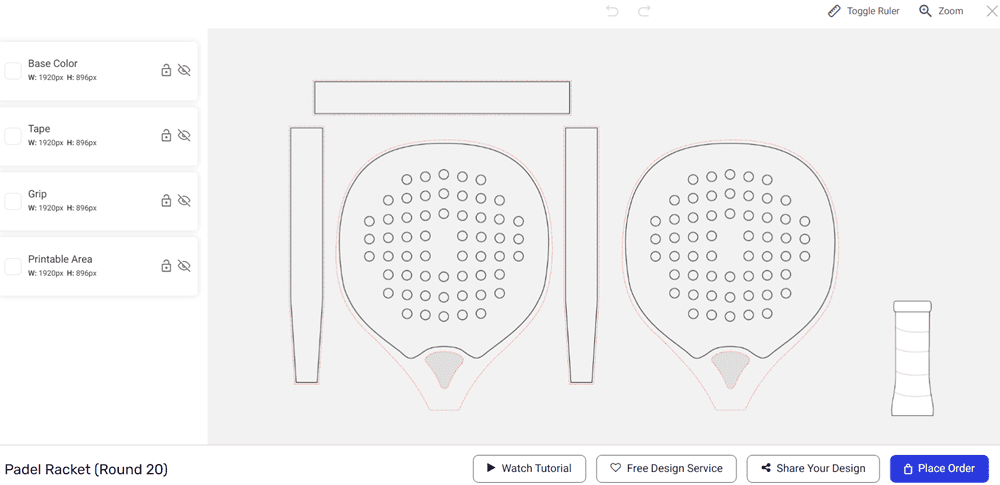
2D mode shows a flat technical layout with all the individual panels and surfaces of the product laid out separately. For example, a padel racket in 2D mode will show the front face, back face, tape, grip, bumper strip, and printable area as separate elements. A volleyball will show the Top, Front, Left, Right, Back, and Bottom panels individually.
This mode gives you:
More control over exactly where graphics and text are placed on each surface
Access to more parts of the product that may not be as easy to reach in 3D view
Better precision for complex or detailed designs with multiple elements
Which should I choose?
Choose 3D if you want a quick, visual design experience and your design is relatively straightforward.
Choose 2D if you need precise control, are working on a detailed or multi-element design, or want to customize parts of the product that are easier to access in a flat layout.
You cannot switch between the modes, so you may loose the progress if you switch mid design to another mode.
→ How do I use the online design tool? → How do I design a custom product with RAGE Custom?