
You can update your personal details, addresses, and password at any time from your account on ragecustom.com. Log in and use the sidebar menu to navigate to the section you need.
Updating your name, display name, or email
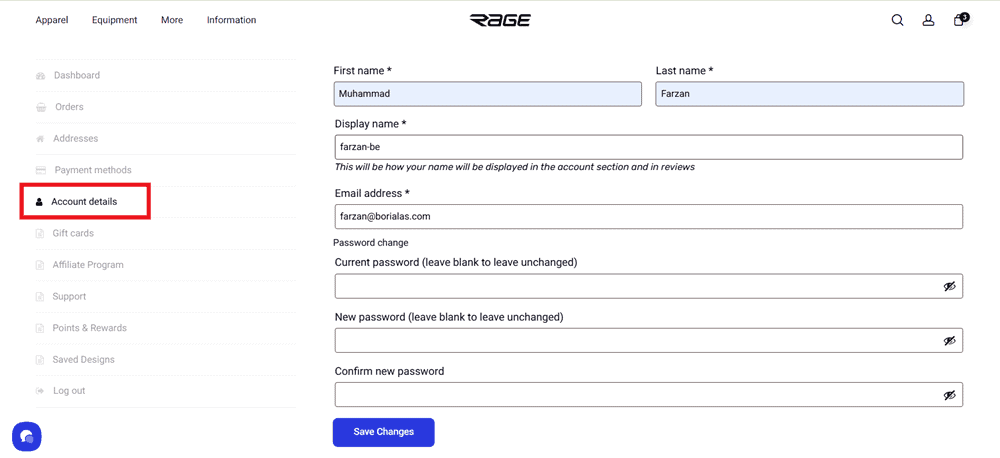
Log in and click Account Details in the sidebar.
Edit your first name, last name, display name, or email address as needed. Your display name is what appears on product reviews and in the account section.
Click Save Changes at the bottom of the page.
Changing your password
Log in and click Account Details in the sidebar.
Scroll down to the Password Change section.
Enter your current password, then enter and confirm your new password.
Click Save Changes.
If you've forgotten your current password and can't log in, use the Forgot Password? link on the login panel instead. → I forgot my password or login details. What should I do?
Updating your billing or shipping address
Log in and click Addresses in the sidebar.
You'll see two sections: Billing Address and Shipping Address.
Click Edit under the address you want to update.
Make your changes and save.
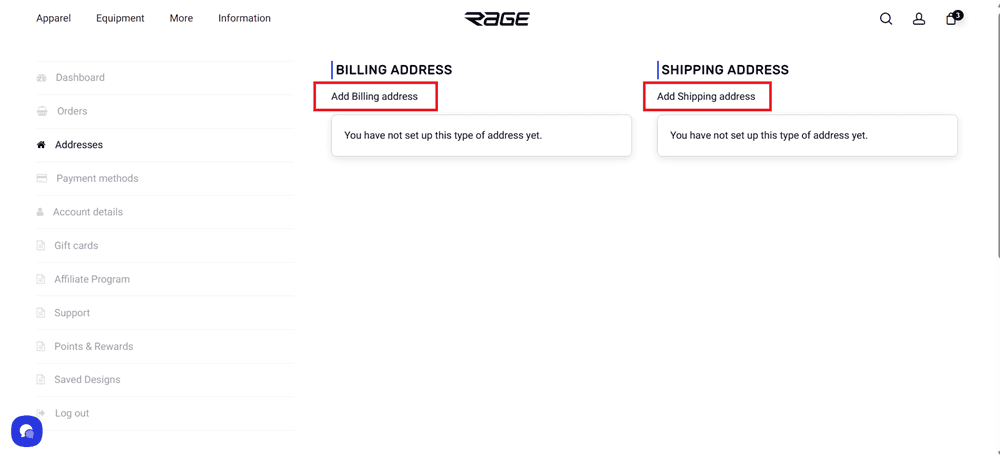
These saved addresses will be pre-filled at checkout, so keeping them up to date means a faster ordering experience.
What you can't change yourself
Your username (the email you originally registered with) cannot be changed through the account dashboard. If you need to update the email address associated with your account, you can do so under Account Details. If you run into any issues, contact our support team and we'll help sort it out.