
If you already have a design, the best option is usually Upload Design on the product page as explained here. This is ideal if your artwork is already finished or if you created it in professional software or Canva.
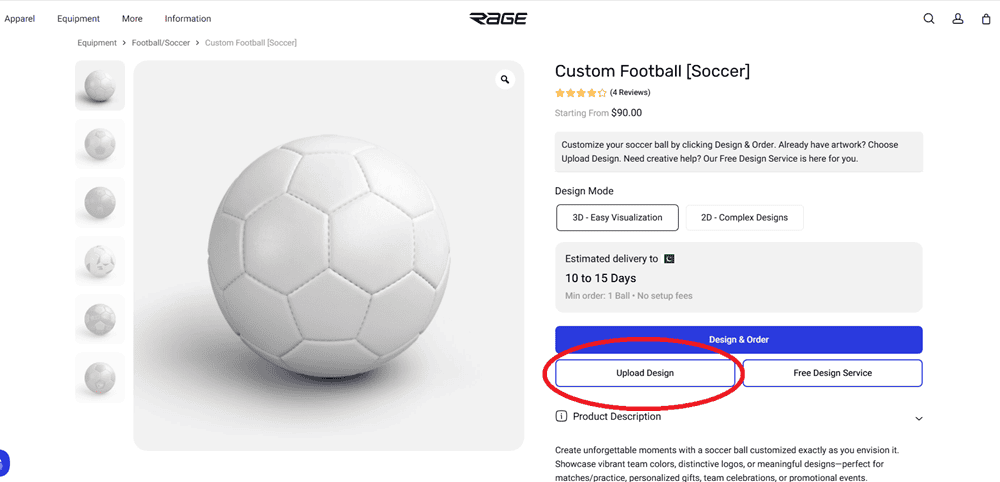
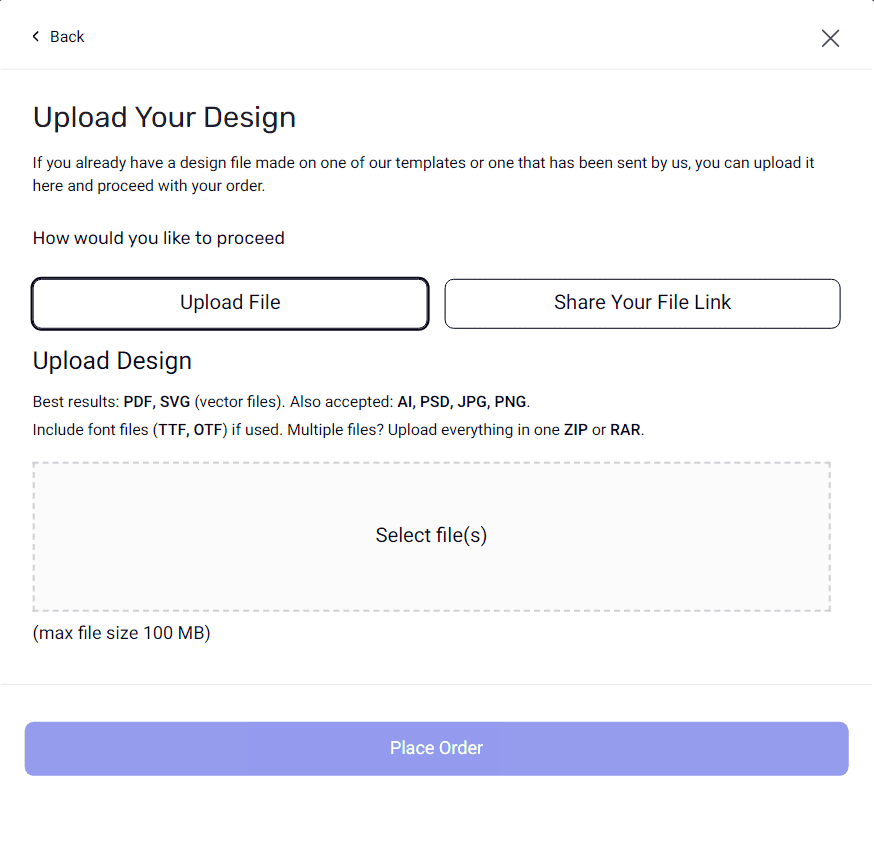
You can either:
Upload your file directly
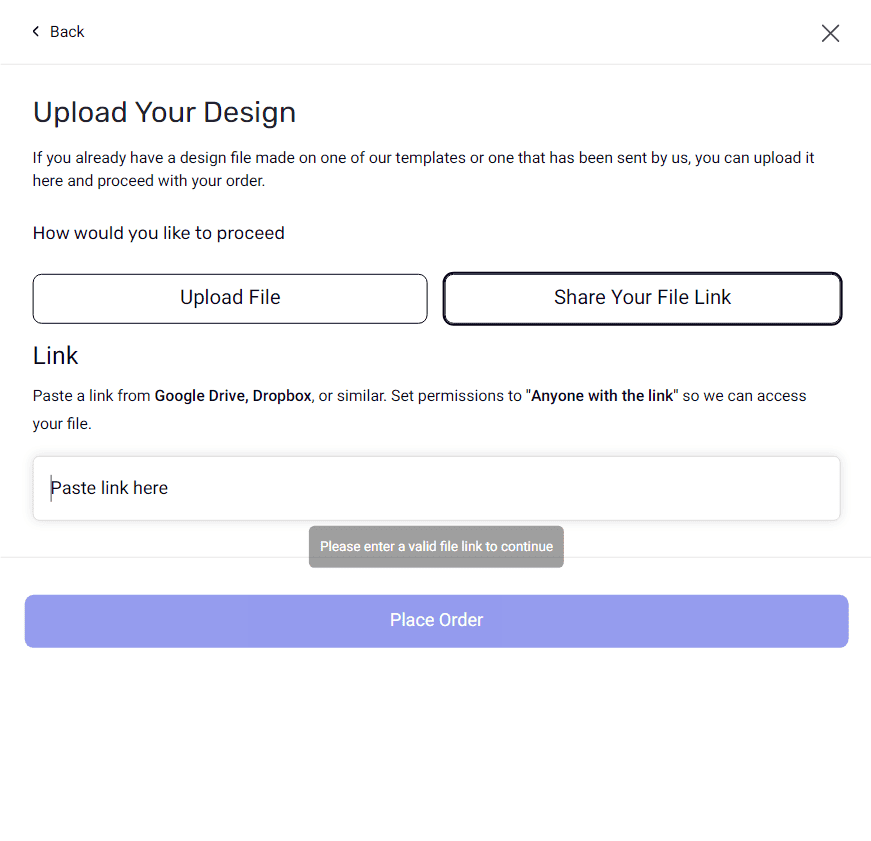
Share a file link from Google Drive, Dropbox, or a similar service
For the smoothest process, it’s best to use a design that was created on one of our templates or a file prepared to the correct product layout. You can download the relevant template from our Product Templates page, where we provide print-ready PDFs for customizable products.
Recommended file formats
For best results, send:
PDF or SVG for vector artwork
JPG or PNG if that’s what you have available
If your design uses custom fonts, include the font files too. If you have multiple files, upload them together in a ZIP or RAR folder.
What happens next?
Once your design is submitted and you place the order, our team checks the artwork before production. We may review things like alignment, centering, and image quality, and we’ll send you a finalized mockup or print-ready file for approval before production moves ahead.
Need help before ordering?
If you want us to review your file before you submit it, or if you run into any issues, you can contact us on Live Chat or WhatsApp. If your design still needs work, you can also use our Free Design Service.
You can start from any relevant product page on RAGE Custom, choose your product, and then use the available upload options there.